
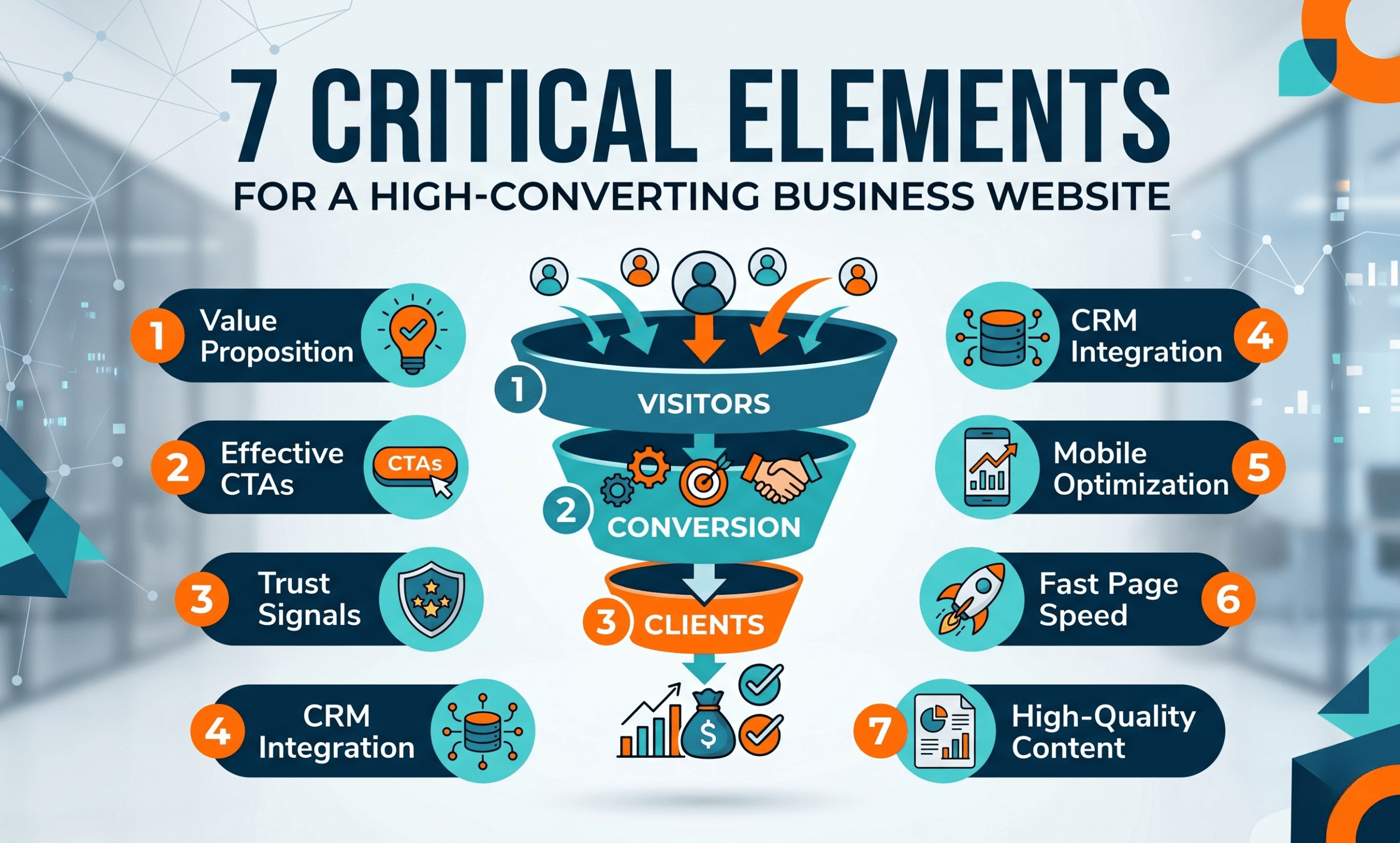
7 Critical Elements Your Business Website Needs to Convert Website Visitors into Clients
You have spent weeks perfecting your digital marketing strategy. You are running highly targeted Meta Ads, your social media reach is expanding, and your organic traffic is climbing. But when you check your analytics, you face a frustrating reality: you are getting traffic, but no leads.
If your digital storefront is not engineered for conversion, all that hard-earned traffic goes to waste. The ultimate goal of any online presence is to convert website visitors into clients.
To turn your site into a 24/7 lead-generation machine, it needs to guide users seamlessly from their first click to their final purchase. Here are the 7 critical elements your business needs to make that happen.
1. A Client-Centric Value Proposition (Above the Fold)
When a user lands on your homepage, you have about three seconds to convince them to stay. Your “hero section”—the very top part of your website visible before scrolling—must instantly communicate your core value.
- Focus on the Solution: Don’t just list what you do; explain the outcome. Instead of saying “We provide IT Services,” say, “We streamline your operations with secure IT infrastructure and seamless software integrations.”
- Clear H1 Tag: Your main headline must clearly state what you offer.
- Sub-headline Context: Use a brief sentence below the H1 to explain exactly who you serve and the results you deliver.
2. High-Converting Calls to Action (CTAs)
A passive website gets passive results. A well-optimized Call to Action (CTA) acts as a digital signpost, showing the user exactly how to take the next step.
- Action-Oriented Copy: Replace generic “Submit” buttons with benefit-driven phrases. Try “Book Your Strategy Call,” or “Get a Free Software Quotation.”
- The Power of Contrast: Your CTA button must stand out visually. Use a contrasting color that pops against your site’s main color palette.
- Strategic Placement: Keep your primary CTA in the top-right corner of your navigation menu so it is always accessible. Include CTAs naturally at the end of every service page.
[Insert Internal Link to your Contact Page]
3. Frictionless CRM and Form Integration
If it is difficult to contact you, prospects will immediately leave and find a competitor. Your lead capture process must be entirely frictionless.
- Keep Forms Short: For initial inquiries, only ask for the essentials: Name, Email, and a brief message. Long forms kill conversion rates.
- Direct CRM Routing: Integrate your website forms directly into your CRM platform (like Zoho, HubSpot, or Salesforce). This ensures leads are instantly captured in your database, allowing your team to follow up while the lead is still hot.
- Use Thank You Pages: Once a user submits a form, redirect them to a confirmation page. This helps you accurately track conversion events for your ad campaigns.
4. Authoritative Trust Signals and Social Proof
B2B clients rarely make impulse decisions. Whether they are looking for remote server setups like Tally RDP configuration or full-scale marketing campaigns, they need to trust your authority first.
Establish immediate credibility by integrating:
- Data-Driven Case Studies: Dedicate a section of your site to explaining how you solved a specific problem. For example: “How our Meta Ads strategy increased a client’s reach by 200%.”
- Authentic Testimonials: Feature real quotes, complete with the client’s name and company.
- Partner Badges: Display logos of software you are certified in to instantly elevate your credibility.
5. Mobile-First and Technical SEO Performance
Google predominantly uses the mobile version of your content for indexing and ranking. If your site is not flawlessly responsive on a smartphone, your search rankings will drop.
- Speed is Revenue: A one-second delay in load time severely drops conversion rates. Optimize images and utilize caching to ensure your site loads in under three seconds. You can test your speed for free using tools like (External Link).
- Tap-Friendly Design: On mobile devices, ensure your buttons are large enough to tap easily and text is legible without zooming.
6. Intuitive Navigation and User Experience (UX)
A confused mind says no. If a visitor cannot easily find your service list or pricing, they will abandon the site.
- The “Rule of 7”: Keep your top navigation menu to 7 items or fewer.
- Logical Hierarchy: Group related services under parent dropdowns.
- Footer Utility: Place secondary links (Privacy Policy, Terms of Service) in the footer to keep the main menu clean and conversion-focused.
7. Value-Driven Lead Magnets
Not everyone who visits your site is ready to buy today. Some are just in the research phase. Capture their information by offering a “Lead Magnet”—a free, high-value resource exchanged for their email address.
- Free Audits: Offer a complimentary tech stack review or digital ad audit.
- Downloadable Guides: Provide a valuable PDF, such as a business software checklist.
- Nurture Sequences: Once you capture their email, place them in an automated email drip campaign that provides continued value until they are ready to buy.
Ready to Turn Your Traffic into Revenue?
Your website should be your most valuable sales asset. Transforming your digital presence from a static brochure into a dynamic lead-generation machine requires a strategic blend of UI/UX design and technical SEO.
If you are tired of getting traffic with zero ROI, it is time for an upgrade.
[Insert CTA: Contact our team today for a comprehensive website audit, and let's start converting those visitors into loyal clients.]